I’ve been struggling to find things to write about and to have the motivation to go out and shoot, but I wanted to try and keep going with the build days stuff.
In lieu of doing art, I bought a Dell Precision workstation desktop from my school, and migrated my secondary server to it. When I bought it (during class, mind you) I opened it and got real excited over the 8 whole DIMM slots, with only two (2) being occupied, totalling to 16gb installed RAM. This was already a good deal, as it was about on par with my main server, just with equipment designed for this purpose. The expandability though is one of two ways this machine pulls ahead.
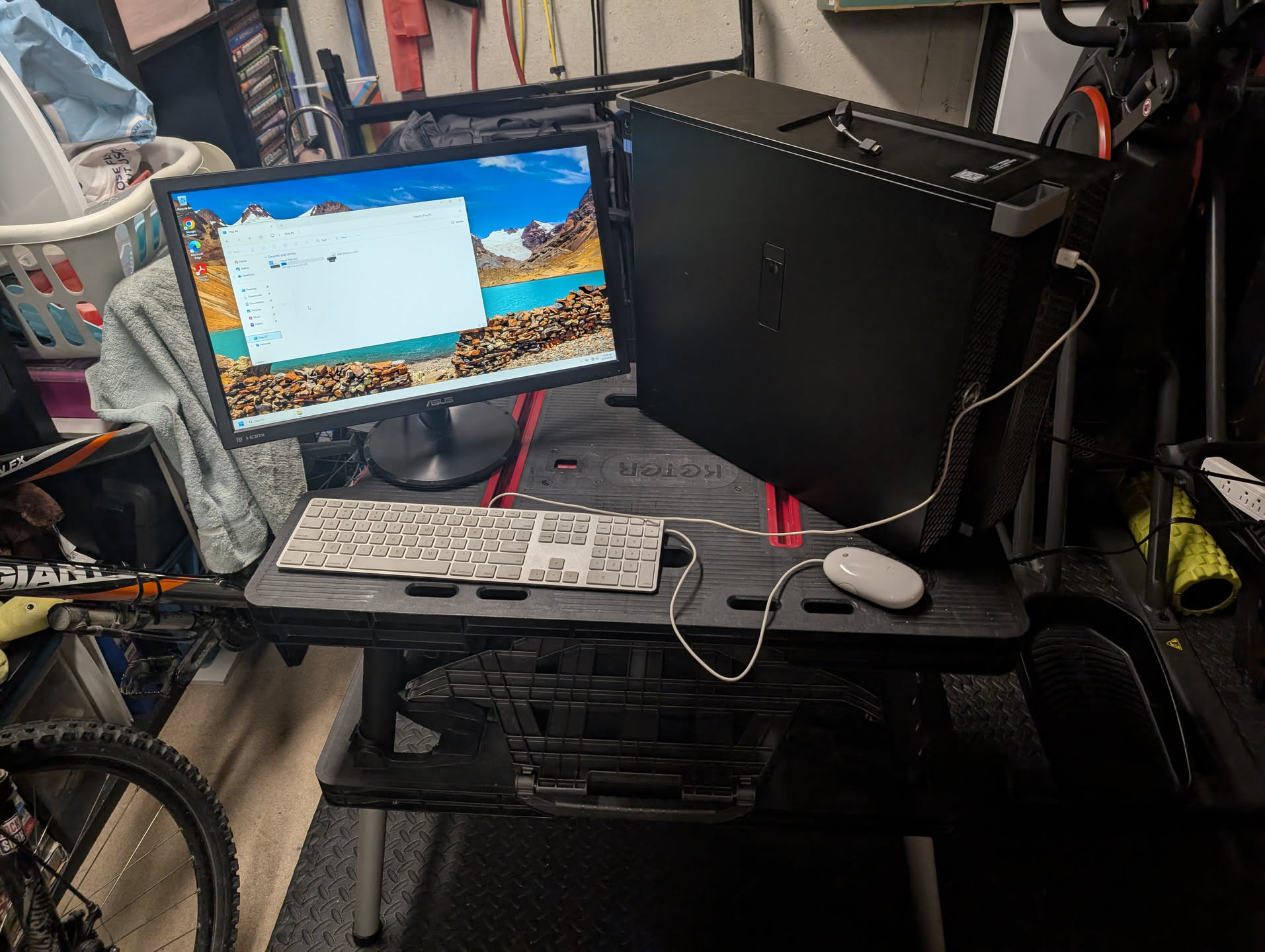 (this was my epic setup while I was transplanting and setting stuff up this afternoon and evening)
In terms of expandability, it has plenty of PCIe slots (and a single PCI slot!), and LOTS of SATA connectors. On the back, there are a healthy amount of USB 3 ports, PS/2 Mouse & Keyboard, RS-232 serial, and the included GPU (Quardro P1000) has four mini-DisplayPort ports.
On paper, this sounds pretty amazing, and it still is, however I ran into some issues when I eventually got it hauled home on the bus. The RAM, as one may expect from a machine like this, was ECC RAM. This is problematic because I had a glorious plan of adding two 4GB sticks to make it a total of 24GB. Unfortunately, the computer did not want to boot with ECC and non-ECC RAM mixed (shocker). The other issue was with GPUs. I tried putting a GTX 660 in the machine to use in a virtual machine, just for the computer to turn off when it tried booting. I don’t understand the issue as there should be enough PCIe lanes from the Xeon, and a 950W power supply should be very much in excess of what this setup would need (for reference, the GTX 660 uses a normal 6-pin power connector, and the P1000 is powered solely through the PCIe connector).
The upgrades that DID pan out, however, were the storage “upgrades”. I say it in quotes because it was just migrating my data to this computer to the old one, but still. The front drive bays made it a breeze to install the two 2.5” 512GB drives from the old machine in this one, and the included 512GB NVMe will come in handy at some point I’m sure. This wasn’t free from issue, mind you. The top left hard drive bay just.. doesn’t work. The little health indicator is lit up orange when a drive is inserted, regardless of the health of the drive. I can only assume this is an issue elsewhere in the computer, ideally not connected to the traces of corrosion I found in it (I assume whatever back closet this was stored in had water in some capacity).
Now that it is largely set up, Proxmox just booted just as it was on the old computer, and my VMs spun up no problem. I’m now able to run Windows 8/2012 and up without issue due to the better CPU, which means I’m in the process of migrating my Active Directory and stuff from Windows Server 2008 R2 to a new Windows Server 2025 instance.
I think that covers all I had to say today, even if it isn’t super well structured. It’s kinda late as I’m writing this as I kinda forgot until now. Aaaaanyways, see you next time!